Search CDPHE Safe Water Information Finder for Water Violations
Colorado’s Safe Water Information Finder can help you check records tied to a water system, but a result can be hard to interpret without context. This guide explains what the Finder contains, how to approach a search, what to look for in records, and how to follow up without assuming that a listing tells the whole story.
What the Safe Water Information Finder can show
According to the Colorado Department of Public Health and Environment (CDPHE), the Safe Water Information Finder Tool contains general info, contacts, sample results, violations, inspection deficiencies, and online records. These categories can help you investigate a question about a public water system, but they are not interchangeable. A sample result, a violation record, and an inspection deficiency each point to a different kind of information.
The Finder is a place to locate records, not a substitute for understanding them. A result may need context: which system it concerns, what period or activity it describes, and whether it relates to a current question. The presence of a record does not by itself establish that a problem is happening now, that it affected every customer, or that a particular home’s water has the same result.
It helps to approach the tool with a specific question. Are you trying to identify the system serving an address? Check whether the Finder lists a violation? Review sample results? Find a contact or an online record? Keeping the question narrow makes it easier to decide which information matters and what follow-up you may need.
A search result can also be incomplete for your purpose. The Finder contains several types of information, but that does not mean every record answers every question. For example, a system-level listing is not the same thing as a test of water at a household faucet. If your concern is about a particular tap, plumbing fixture, or service line, you may need information beyond the Finder.
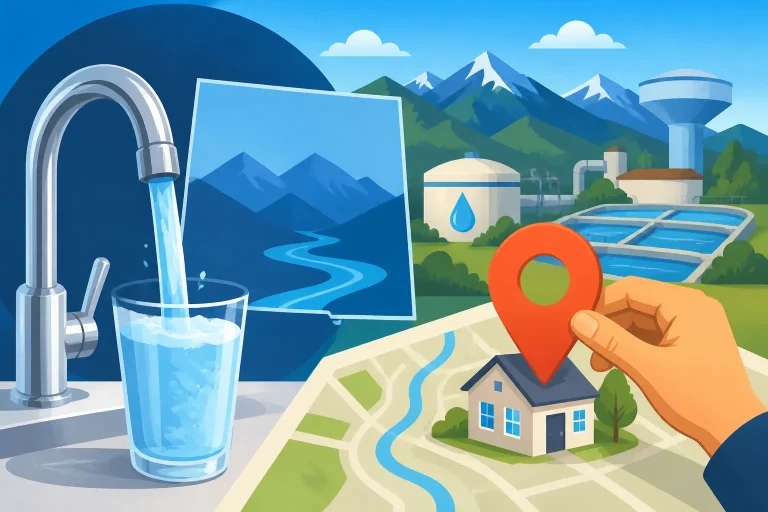
For general context about how public systems are treated differently from private supplies, see Colorado Public Water Systems: How Community Supplies Are Regulated. If you are unsure which system serves a particular property, start with Who Supplies Your Tap Water? How to Check Any Colorado Address before searching for records.
Prepare for a useful search
Before opening the Finder, write down the question you want answered. “Is there a violation?” is a useful starting point, but it may be too broad by itself. You may also want to know which water system the result concerns, what kind of record appears, or whether the information relates to the issue you are investigating.
Gather the identifying details you already have. These may include the provider’s name, the system name shown on a bill or water quality report, or the community or address associated with the service. These details are starting points, not a guarantee that every search field accepts them. Follow the options shown in the Finder rather than assuming it searches by a particular type of identifier.
If the name you know is a city, neighborhood, property manager, or district rather than the name of the water system, keep that distinction in mind. A familiar local name may not match the name attached to a record. Check a water bill, the provider’s official materials, or an annual report to confirm the system name where possible. Checking Your Monthly Water Bill to Identify Your Public Provider can help you use a bill as a starting point.
If you have a water quality report, note the exact system name printed on it. Reports can be helpful for matching a search result to the supply a provider identifies for its customers. For help understanding the terms and tables in a report, see Understanding Tap Water Reports: A Colorado Consumer Guide and Colorado Tap Water Quality: Reading Your Annual Utility Report.
It is also useful to record what you searched and what you found. Keep the system name as displayed, the category of record, any dates or other identifying details shown on the page, and the questions that remain. This makes it easier to compare information later or ask a provider or agency a focused follow-up question.
Use the Finder’s available search controls as they appear. If a search returns no match, do not immediately conclude that there are no records or that the system has no history. The search terms may not match the record’s wording, the system name may differ from the name you entered, or the tool may organize the information in a way you did not expect. Try a relevant alternative identifier if the tool allows it, and verify the system name before treating a lack of results as meaningful.
A search that returns many records also calls for care. Narrow the search using the identifying details or categories available in the tool. Avoid selecting a record simply because its location or system name looks familiar. Confirm that the record is actually tied to the supply you mean to investigate.
Search the Finder step by step
The exact controls and labels you see may vary. Use what the Finder displays, and do not assume that a particular filter, field, or sorting option will be available. A careful search can follow this sequence:
- Define the issue. Decide whether you are looking for general system information, contacts, sample results, violations, inspection deficiencies, or online records. If your question spans several categories, handle them separately so you do not treat unlike records as the same thing.
- Confirm the water system. Use the system name or other details you have, and compare the result with the name on a provider document when possible. If you do not know the provider, use Who Supplies Your Tap Water? How to Check Any Colorado Address as a separate starting point.
- Enter identifying information in the available search controls. Follow the instructions and field labels shown in the tool. If the first search does not produce a clear match, check spelling and try another relevant name or identifier that the tool accepts.
- Review the matching information before opening or relying on a record. Check whether the result refers to the correct system or location. If the match is uncertain, return to the system-identification step rather than guessing.
- Choose the record category that fits your question. A violation record is not the same as a sample result or an inspection deficiency. Start with the category most closely related to your concern, then review other categories if they add useful context.
- Read the record details, not just the result label. Look for the record’s description, dates or time period if displayed, and any explanation or follow-up details provided. Do not infer details that the record does not show.
- Save the details needed for follow-up. Note the system name as displayed, the record category, and the information that remains unclear. Use the official CDPHE or provider website to find current contact details if you need clarification.
A search is not complete just because the page displays a matching result. The key question is whether the result is for the correct system and whether the record addresses the concern you started with. If either point is uncertain, treat the result as a lead to investigate rather than a final answer.
If you are looking for public notices rather than a record of past activity, check the provider’s own alert channels as well. The Finder’s list of online records and a provider’s current notices may serve different purposes. For notice-related questions, Where Colorado Water Providers Post Alerts and Boil-Water Notices explains why it can be useful to check provider information directly.
How to read a violation or inspection record
Start by identifying what kind of record you are viewing. The Finder includes violations and inspection deficiencies as separate categories. A record’s category is a clue to what it represents, but it is not enough to explain the circumstances on its own. Read the available description and supporting details before drawing a conclusion.
For a violation record, check what the entry says happened and which system it names. If the page includes a date or period, note it carefully. A past entry does not automatically tell you whether the issue is ongoing, resolved, or relevant to a current household concern. Look for any status or follow-up information that the record itself provides. If the record does not make that clear, do not fill in the gap with an assumption.
For an inspection deficiency, read the description closely and distinguish it from a sample result. An inspection entry can identify a deficiency without telling you what a household tap would show. If you need to understand how a particular deficiency is described or recorded, Understanding Safe Water Information Finder Deficiency Records may help you approach those entries with the right questions.
For a sample result, check what the record says was sampled and what information accompanies it. Do not assume a sample represents every location in the system or a specific faucet in your home unless the record says so. A system record and a household plumbing test answer different questions. If your concern involves possible lead from a home’s plumbing, Testing Colorado Tap Water for Lead: School and Child Care Rules covers a separate setting, while Unknown Service Line Status in Colorado: How to Check Your Pipe focuses on identifying service-line information.
Read the labels and explanatory text as a whole. A short heading may summarize a record, while details elsewhere on the page may clarify its scope. If the record links to an online document, review the document itself when available rather than relying only on a brief listing. Keep the distinction between what the record states and what you infer from it.
When comparing multiple records, be consistent. Confirm that each entry refers to the same system, and note any differences in category, date, or description. A set of records may show a history of activity, but it does not automatically establish a simple trend. Differences in what was sampled, inspected, or recorded can make entries unsuitable for direct comparison.
Avoid treating a record as a verdict about an entire community’s water. The Finder is useful for locating system information and records; it is not a direct measurement of every customer’s tap. The appropriate interpretation depends on the record’s scope and on the question you are asking.
What a Finder result does not answer by itself
A result in the Finder can be important, but it may leave practical questions unresolved. Before using it to make a decision, separate the information the record provides from the information you still need.
A listing does not necessarily establish whether a concern is current. Check the record for any timing, status, or follow-up detail it actually shows. If that information is missing or unclear, ask the relevant provider or CDPHE through the contact details available on the official website. Do not interpret the mere presence of a record as proof of a current emergency, and do not interpret the absence of a visible record as proof that no issue could exist.
A system-level record does not automatically describe water at a particular home. Water can be sampled or documented at a location that is not the same as a household faucet. Home plumbing and service-line materials may also matter to a tap-specific question. If you are investigating lead, for example, a system record is not a substitute for finding out about the pipes serving the property or for obtaining an appropriate tap test. See Water Service Lines in Colorado: Who Owns Which Side of the Pipe? for background on the distinction between service-line segments.
A record does not necessarily tell you what action a household should take. If a current notice or instruction has been issued, follow the information from the relevant provider or agency rather than trying to infer instructions from a database entry. For notices that say not to drink the water, see When a Colorado Water Advisory Says Do Not Drink: Immediate Steps. The Finder may help you locate relevant records, but a record’s presence alone should not be treated as a substitute for an active notice.
A sample result also does not necessarily settle a health question. Interpretation can depend on the substance, sample location, timing, and applicable guidance. If you have a health concern, contact your local health department or a medical professional. For questions about a specific result, use the record’s associated contact information or the official provider and agency websites.
A search result cannot establish that a product or treatment is needed. If you are considering a filter, match the device’s certification and claimed reduction to the contaminant and result that concern you. A system-level record may not show what is present at your own tap. For help connecting report information to a treatment decision, see Reading Your Water Quality Report: Do You Really Need a Filter?.
Use the information to decide what to do next
After reviewing a record, write down the answer it gives and the open questions it does not resolve. This simple separation helps prevent a database entry from becoming more conclusive than its details support.
If the system match is uncertain, verify the provider first. A provider name, district name, and water system name may not be identical. Compare the Finder result with the name on a bill, the provider’s official materials, or a water quality report. If you still cannot tell whether the listing applies to your address, ask the provider to confirm the system serving the property.
If the result identifies a violation or deficiency, read all details shown and check for any associated explanation or follow-up record. If the status is unclear, ask what the record means and whether there is more recent information. Do not assume a record has been resolved or remains active unless the available details support that conclusion. How Water Systems Handle Contaminant Exceedance Notifications offers related context on notifications and follow-up, while Colorado Tap Water Quality: How Municipal Standards Protect Homes gives broader background on system oversight.
If you are concerned about a current water condition, look for a current notice from the provider and use its directions. A record search and a current alert search are different tasks. You can also contact the provider using current contact details from its official website. If the issue is urgent or a notice gives specific instructions, do not delay action while trying to interpret unrelated records.
If you are trying to assess water at a home, identify whether your question is about the public supply, the service line, or household plumbing. The Finder may help with system-level information, but a tap-specific question may call for a different record or test. For testing options, see Can DIY Test Strips Accurately Detect Lead in Tap Water?. A test method should be selected for the question and contaminant of concern, and the result should be interpreted within its scope.
If your question involves a private well rather than a public system, do not assume the Finder provides the same kind of information for that supply. The tool is described as containing information about water systems and records, but a private well owner may need a separate testing and records path. See Testing Private Well Water in Colorado: What Contaminants to Check for well-specific context.
When you contact a provider or agency, make the question easy to answer. Include the system name as it appears in the Finder, the record category, and any identifying date or description shown. Ask directly whether the entry is current, what location or activity it concerns, and where to find additional records if the page does not explain it. Avoid sending sensitive personal information unless the official contact process requires it.
Keep a copy of the information you reviewed. If you return to the Finder later, compare the system name and record details rather than relying on memory. If the information changes or a provider posts a separate notice, use the latest official communication for current instructions.
Common search mistakes to avoid
One common mistake is searching only by a familiar community or place name and assuming every result applies to that location. A place name can be a helpful starting point, but verify the named water system before drawing conclusions. If several results look similar, use provider materials or a bill to identify the right one.
Another mistake is treating every record as a violation. The Finder contains several categories, including sample results and inspection deficiencies. Read the category and record description before deciding what the entry represents. A category label is not a complete explanation, so check the details available with it.
It is also easy to confuse system information with household information. A public system record may not describe the plumbing in an individual building or the water at a specific tap. If your concern is home plumbing, service-line material, or a faucet test, pursue that specific question separately.
Do not rely on a single search attempt when the result is empty or unclear. Check spelling, confirm the system name, and try another relevant identifier if the tool permits it. If you still cannot find a match, contact the provider or use CDPHE’s official website to find current agency contact details. A search that returns nothing is not, by itself, a finding about water quality.
Avoid interpreting a short summary without reading the full record or linked material. A brief listing may not explain timing, scope, or follow-up. If the Finder provides an online record, review it and note what it actually says. If it does not answer your question, ask the provider or agency instead of guessing.
Finally, do not treat the Finder as an emergency alert service unless the information on the page specifically indicates that it is providing current instructions. For immediate directions, check the water provider’s current notices and follow official guidance. The Finder is most useful when you use it as a record-finding tool and verify that each entry applies to the system and question at hand.
Frequently Asked Questions
Does a violation listing mean the water is unsafe right now?
Not necessarily. A listing alone does not establish whether an issue is current or what it means for a particular home. Check the record’s details and any current provider notice, and contact the provider or CDPHE if the status is unclear. For health concerns, ask your local health department or a medical professional.
Why can’t I find my water provider by the name I know?
The name used in a bill, community materials, or conversation may differ from the system name used in a record. Confirm the provider and system name using official provider information or a water bill, then search with the available controls in the Finder.
Does a sample result tell me what is coming from my kitchen tap?
Not automatically. Check what the record says about the sample and its location. A system-level result is not necessarily a measurement of water at a specific household faucet. A tap-specific concern may require a separate test or plumbing investigation.
What should I do if a record is unclear?
Keep the system name and record details, then ask the provider or CDPHE for clarification using contact information on the official website. Ask what the record covers, whether it is current, and whether additional information is available.
Sources
- Colorado Department of Public Health and Environment — Drinking water consumer information and data | Colorado Department of Public Health and Environment (checked November 13, 2026)
Disclaimer
This article is for general informational purposes only and does not constitute professional advice. Laws, prices and regulations vary by location and change over time. Consult a qualified professional for guidance on your specific situation. Colorado Water Guide is not a government agency or water utility and is not affiliated with any public water system.